
01
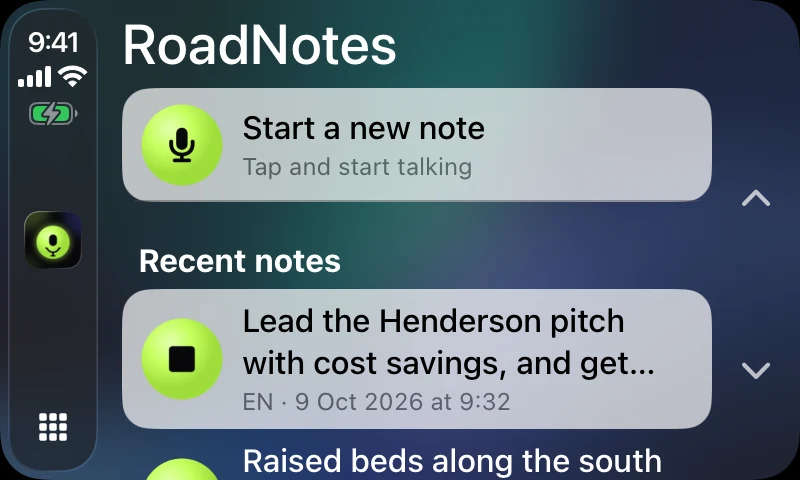
Open RoadNotes in CarPlay
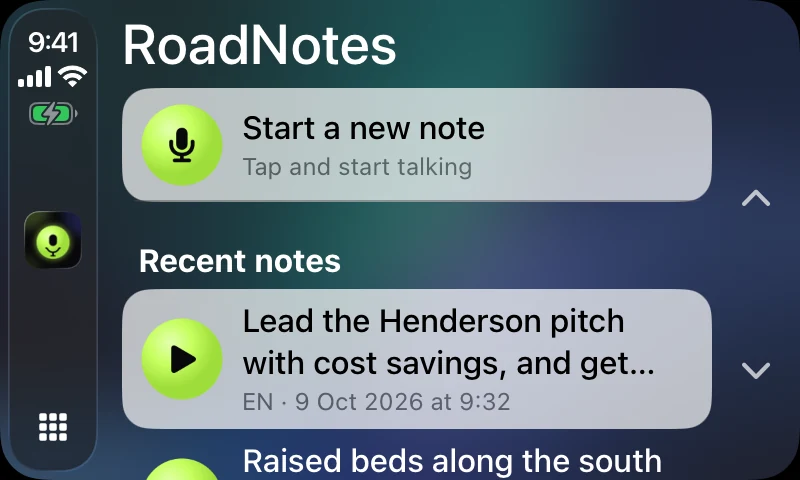
One tap on the RoadNotes icon and it's already listening. No wake word, no menus, no always-on listening: RoadNotes records only while you're taking a note.
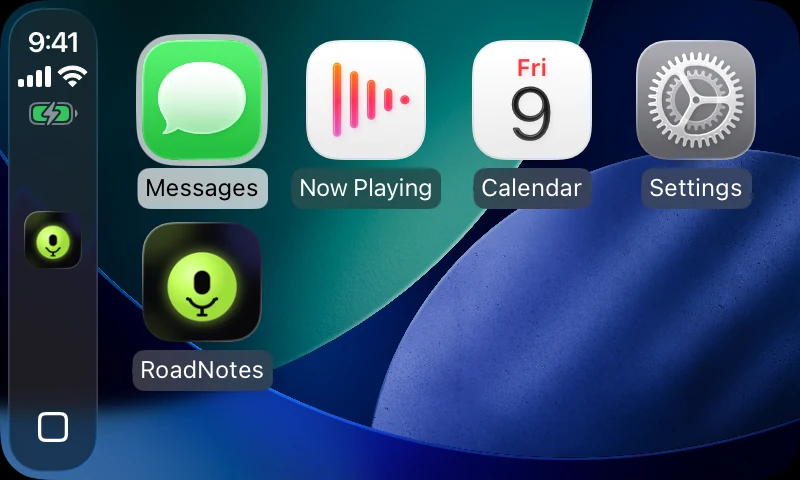
Voice notes for CarPlay
RoadNotes puts a record button on your CarPlay screen. Tap it, say what's on your mind, and the note is waiting on your iPhone: transcribed on the device, with a short summary and the action items pulled out.
Then $9.99 once. No subscription, no account. Coming soon to the App Store.
How it works
One tap on the RoadNotes icon and it's already listening. No wake word, no menus, no always-on listening: RoadNotes records only while you're taking a note.
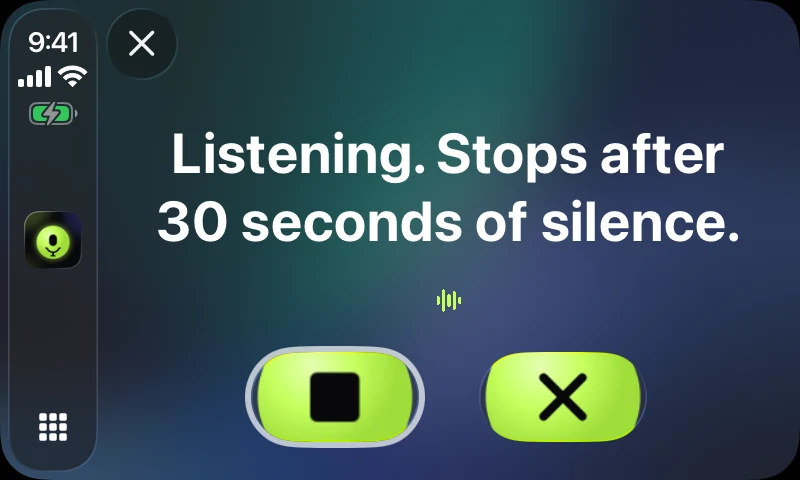
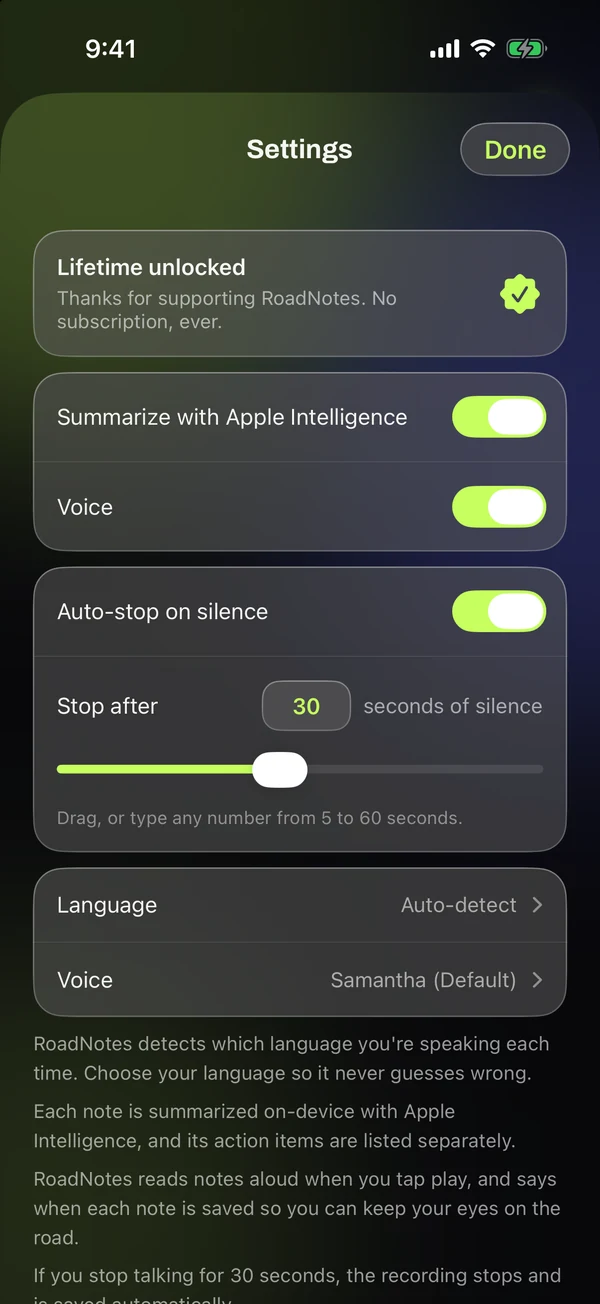
Tap Stop when you're done, or keep your hands on the wheel: when you stop talking for 30 seconds, RoadNotes stops and saves the note by itself. You choose anywhere from 5 to 60 seconds.
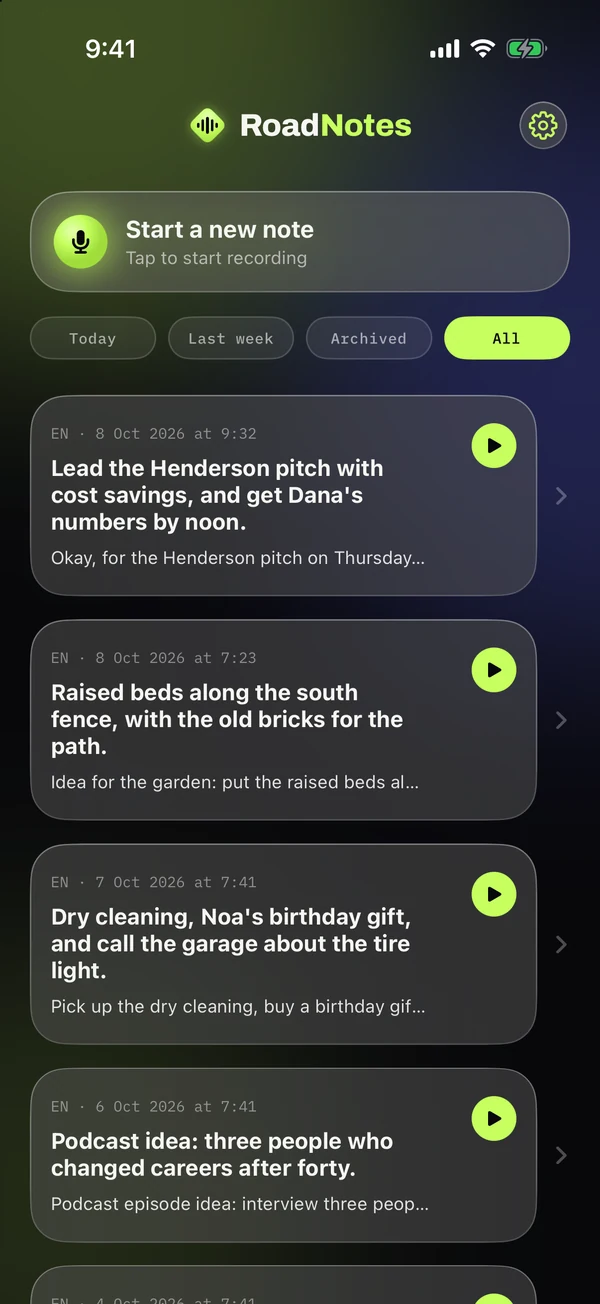
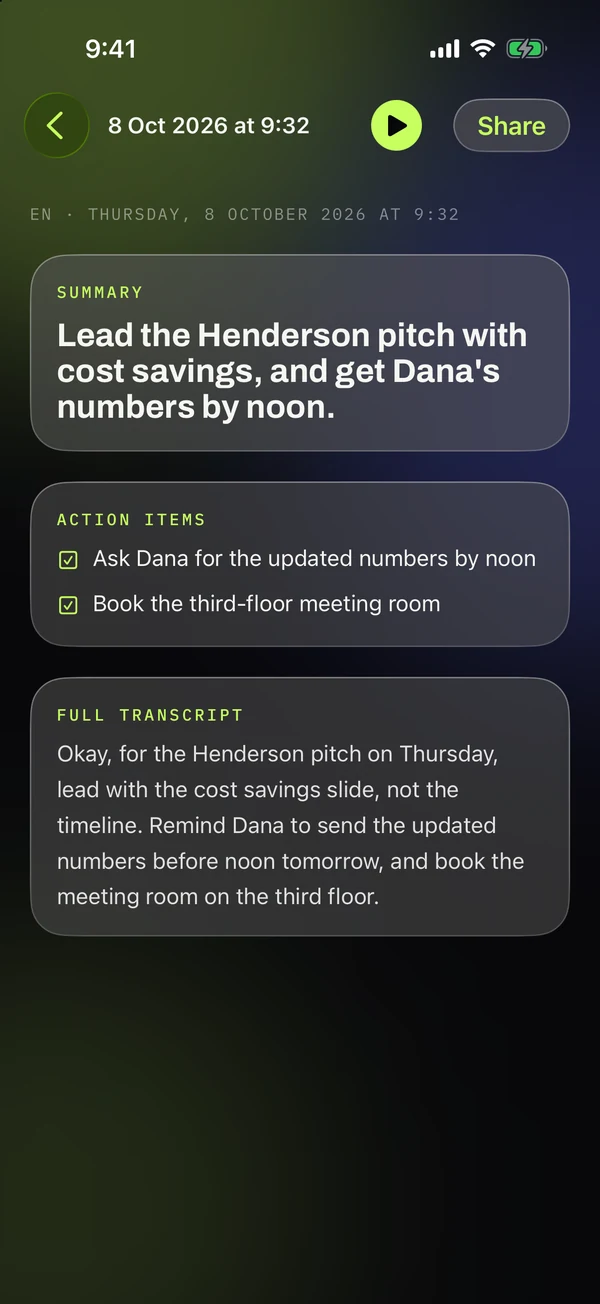
The note is on your iPhone: a one-line summary, the action items as a checklist, and the full transcript underneath. Share it to Messages, Mail or Reminders in one tap.
Eyes on the road
Tap any recent note on CarPlay and RoadNotes reads it aloud. After every recording it tells you the note was saved, so you never have to glance at a screen to check.
Features
Your voice is transcribed on your iPhone. The recording is deleted as soon as it's transcribed, and your notes never leave your phone.
Apple Intelligence writes a one-line summary and lists the action items, right on the device.
Auto-stop saves the note after 5 to 60 seconds of silence. Or turn it off and tap Stop yourself.
Say “Start a new note in RoadNotes” and “Stop recording in RoadNotes”. No need to touch a screen at all.
RoadNotes detects the language you're speaking each time, or you can set yours once so it never guesses wrong.
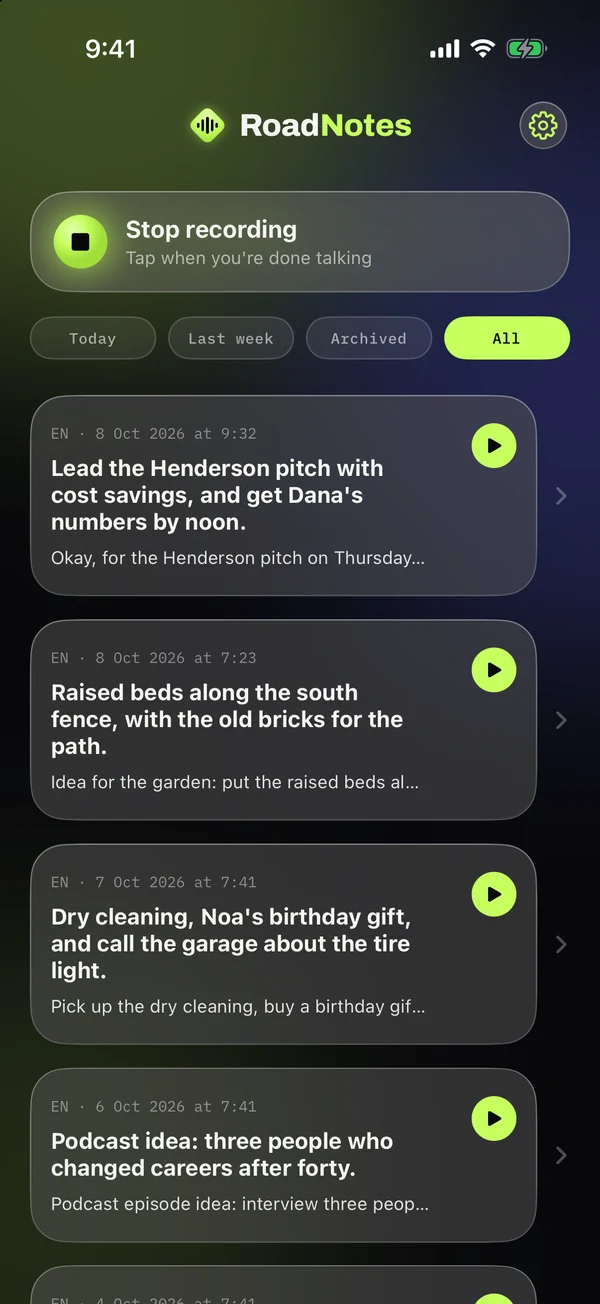
Swipe a note to archive or share it, filter by today or last week, and tap play to hear any note again.
On your iPhone
Pricing
$9.99 once, for life
No subscription. Shown in your local currency in the App Store.
The trial starts the first time you open RoadNotes. After it ends, your notes stay readable; recording new ones needs the one-time unlock.
FAQ
No. RoadNotes works on its own on your iPhone, and with Siri. CarPlay is where it shines: one big button on the car's screen.
No. Recordings are transcribed on your iPhone and deleted right after. Notes are stored only on your device. The one thing RoadNotes downloads is the speech model, once, the first time you record. See the privacy policy.
Only for summaries and action items. Without it, RoadNotes saves the full transcript of every note.
Any iPhone with iOS 26 or later. Summaries need an iPhone that supports Apple Intelligence.
You can unlock RoadNotes for life with a single $9.99 purchase. If you don't, your notes stay readable and playable, and recording new ones is paused. Nothing is charged automatically.
RoadNotes is designed around one tap and your voice, and it reads confirmations aloud so you don't have to look. Only touch the screen when it's safe and legal where you drive, and never look at your iPhone while driving.